MLightCAD
CAD-Viewer
English | 简体中文 | 日本語 | 한국어 | Español | Português | Русский | Čeština
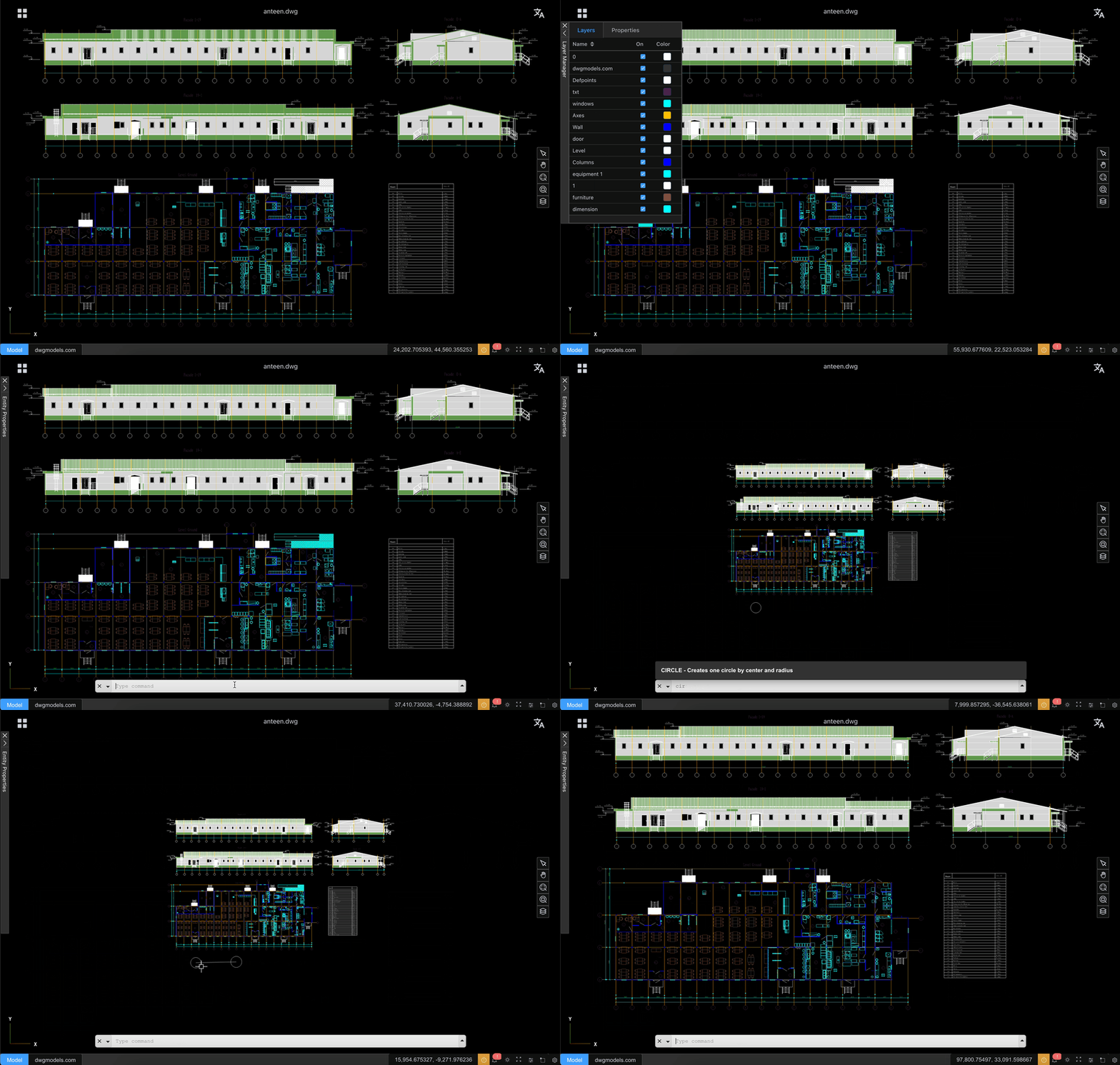
cad-viewer is the first web-based DXF/DWG viewer and editor in the world that operates entirely in browser, without relying on any backend services.
By performing DWG/DXF parsing, geometry processing, and rendering directly in the browser, cad-viewer enables true serverless CAD viewing and editing, ideal for cloud apps, offline usage, and privacy-sensitive workflows.
It also offers something you will rarely find in other CAD viewers—one-click export to a single, self-contained HTML file. The downloaded .html embeds the drawing snapshot and a lightweight viewer runtime, so recipients can open, pan, zoom, toggle layers, and measure distances in any modern browser with no CAD app, no server, and no install. Most desktop and web CAD viewers only let you view inside their own product; cad-viewer turns a live drawing into a portable, offline artifact you can email, archive, or drop on a static file host—ideal for sharing with clients, compliance archives, and air-gapped workflows. The offline viewer also uses far less memory than traditional desktop tools when opening the same drawing (see memory comparison below).
- 🌐 Live Demo
- 🌐 API Docs: Read the Docs (versioned) · GitHub Pages (latest/dev)
- 🌐 Wiki
- X (Twitter): @mlightcad
- YouTube: @mlightcad
- Medium: @mlightcad
- Juejin(稀土掘金): @mlightcad
Apps Built with cad-viewer
The Thingraph team builds production DWG/DXF viewers and platform integrations on top of cad-viewer, serving tens of thousands of users worldwide:
- DWG Viewer Web App — Browser-based DWG/DXF viewer used by engineering teams worldwide for fast, serverless drawing access. Install for your platform:
- Google Drive — open DWG/DXF from Drive with Open with
- VS Code — custom read-only editor for
.dwg/.dxf - Cursor — same extension via Open VSX
- Confluence — embed DWG/DXF previews on pages
- Windows Explorer — thumbnail and preview in File Explorer
Community apps & integrations:
- flyfish-dev/cad-viewer — Production-oriented browser CAD viewer for DWG, DXF, DWF, DWFx and XPS (live demo)
- Nextcloud CAD Viewer — Native Nextcloud app for viewing DWG/DXF in the browser (App Store)
Community Linux desktop packages:
- CAD Viewer AppImage — Electron-based AppImage for Linux (~114 MB), tested on Fedora
- cad-viewer (AUR) — Arch Linux source package using system Electron (~5.4 MB)
- cad-viewer-bin (AUR) — Arch Linux binary package with bundled fonts/templates for fully offline drawing open
Features
- High-performance viewing of large DWG/DXF files with smooth 60+ FPS rendering
- No backend required - Files are parsed and processed entirely in the browser
- Enhanced data security - Files never leave your device, ensuring complete privacy
- Easy integration - No server setup or backend infrastructure needed
- Modular architecture for seamless third-party integration
- Export to offline HTML — Export the current drawing as one self-contained
.htmlfile with an embedded viewer (pan/zoom, zoom extents, layers, distance measure, EN/ZH UI). Opens offline in any browser; no cad-viewer instance or backend required. - Offline and online editing workflows
- THREE.js 3D rendering engines with advanced optimization techniques
- Designed for extensibility and integration with platforms like CMS, Notion, and WeChat
Getting Started
Prerequisites
Installation
git clone https://github.com/mlightcad/cad-viewer.git
cd cad-viewer
pnpm install
Development
# Start the full-featured viewer (cad-viewer)
pnpm dev
# Or start the simple viewer
pnpm dev:simple
Build
pnpm build
Preview
# Preview the full-featured viewer
pnpm preview
# Preview the simple viewer
pnpm preview:simple
How to Use
Desktop Browser Operations
- Select: Left-click on entities
- Zoom in/out: Scroll mouse wheel up/down
- Pan: Hold middle mouse button and drag
- Erase: Select entities and press
Delkey
Pad/Mobile Browser Operations
- Select: Tap on entities
- Zoom: Pinch with two fingers
- Pan: Single-finger drag
Plugin System
CAD-Viewer is built around a modular plugin system in @mlightcad/cad-simple-viewer. Plugins implement the AcApPlugin interface and hook into viewer lifecycle via onLoad / onUnload—typically to register commands, add UI, or wire export/import pipelines.
Load plugins through AcApDocManager.instance.pluginManager (loadPlugin, registerLazyPlugin, or plugins.fromConfig when creating the document manager). Export-oriented plugins support lazy loading: register a small stub up front and download the heavy bundle only when the user runs the related command (for example -chtml, or when confirming export from the chtml dialog in cad-viewer).
The monorepo ships several first-party plugins. Each focuses on one concern; combine them as needed. Installation, registration, and API details live in each package’s README—see the links below.
Official plugins
| Package | Role | Commands / capabilities |
|---|---|---|
@mlightcad/cad-simple-ui-plugin |
Toolbar & layer manager UI for cad-simple-viewer (plain DOM, no Vue/React) |
layer, default toolbar (view, measure, export, review, theme, locale) |
@mlightcad/cad-agent-plugin |
Natural-language CAD agent (AI chat panel + drawing tool calls) | agent |
@mlightcad/cad-html-plugin |
Export drawings to self-contained offline HTML | chtml (dialog in cad-viewer), -chtml (command-line) |
@mlightcad/cad-pdf-plugin |
PDF export and import (vector pipeline) | cpdf, ipdf |
@mlightcad/cad-svg-plugin |
SVG export and shared vector renderer (also used by PDF export) | csvg |
@mlightcad/cad-simple-ui-plugin — UI chrome for the simple viewer
cad-simple-viewer deliberately ships no application UI—only the canvas and CAD core. If you embed the simple viewer in your own web app and want ready-made chrome without adopting the full Vue-based cad-viewer shell, cad-simple-ui-plugin is the intended UI layer.
It provides:
- A configurable toolbar (placement on any edge, default CAD commands, nested menus, custom items)
- A floating layer manager (layer on/off, ACI color picker, zoom-to-layer on double-click)
- Theme sync with the
COLORTHEMEsysvar and--ml-ui-*CSS tokens on your host element - Locale sync with
AcApI18n(English / Chinese)
All widgets are framework-agnostic (plain DOM). The full Vue cad-viewer app has its own Element Plus UI and does not require this plugin; use cad-simple-ui-plugin when you build on cad-simple-viewer directly.
→ Quick start, toolbar customization, and options: packages/cad-simple-ui-plugin/README.md
@mlightcad/cad-agent-plugin — AI drawing assistant
cad-agent-plugin adds a natural-language CAD agent to cad-simple-viewer-based apps. Users describe what they want in plain language; the agent calls CAD tools to inspect the drawing and create or modify geometry.
It provides:
- A lazy-loaded
AcApPlugin(trigger command:agent) so the AI bundle is not on the critical path - A Vue chat panel (
AgentChatPanel) built on the Vercel AI SDK (Experimental_Agent+@ai-sdk/vue) - Browser-side LLM configuration — API keys for OpenAI, Anthropic, or OpenAI-compatible endpoints stay in the client (encrypted in
localStorage) - Phase 1 CAD tools —
get_drawing_context;draw_line,draw_circle,draw_arc,draw_rectangle,draw_polyline,draw_text;set_current_layer,create_layer,zoom_extents - English / Chinese / Turkish / Czech UI strings via the plugin i18n layer
The full Vue cad-viewer app registers the agent automatically when the package is installed (palette tab). cad-simple-viewer-example wires it into a dock tab via cad-simple-ui-plugin. Host apps call registerLazyAgentPlugin and setAgentPaletteOpener to mount the panel where they want.
→ Installation, registration, and tool list: packages/cad-agent-plugin/README.md
Export plugins (HTML / PDF / SVG)
These plugins add export (and PDF import) commands to the same plugin manager. They are lazy-loaded so initial page weight stays small. The cad-simple-viewer-example demo registers all three export plugins, cad-simple-ui-plugin, and cad-agent-plugin; the full cad-viewer app registers the export plugins and the agent plugin (when installed) in its bootstrap.
- HTML — one-file offline viewer for sharing and archiving: packages/cad-html-plugin/README.md
(Headless CLI using the same pipeline: packages/cad-html-exporter-cli/README.md) - PDF — vector PDF export and PDF-to-CAD import: packages/cad-pdf-plugin/README.md
- SVG — vector SVG export: packages/cad-svg-plugin/README.md
Self-contained HTML memory usage
When opening the sample drawing canteen.dwg, memory consumption is roughly:
| Viewer | Memory consumption |
|---|---|
| AutoCAD 2020 | 320 MB |
| GstarCAD Viewer (浩辰看图王) | 246 MB |
| Self-contained HTML (measure mode) | 56 MB |
| Self-contained HTML (view mode) | 33 MB |
The offline HTML viewer uses about 83% less memory than AutoCAD 2020 and about 77% less than GstarCAD Viewer in view mode, while still supporting pan/zoom, layer toggle, and distance measurement (measure mode).
Performance
CAD-Viewer is engineered for exceptional performance and can handle very large DXF/DWG files while maintaining high frame rates. It employs multiple advanced rendering technologies to optimize performance:
- Custom Shader Materials: Uses GPU-accelerated shader materials to render complex line types and hatch fill patterns efficiently
- Geometry Batching: Merges points, lines, and areas with the same material to dramatically reduce draw calls
- Instanced Rendering: Optimizes rendering of repeated geometries through instancing techniques
- Buffer Geometry Optimization: Efficient memory management and geometry merging for reduced GPU overhead
- Material Caching: Reuses materials across similar entities to minimize state changes
- WebGL Optimization: Leverages modern WebGL features for hardware-accelerated rendering
These optimizations enable CAD-Viewer to smoothly render complex CAD drawings with thousands of entities while maintaining responsive user interactions.
Known Issues
The default open-source DWG path is based on LibreDWG. It works well for many drawings, but its entity coverage is still limited, the WASM bundle is much larger, startup is slower, memory usage is high, and very large DWG files may hit out-of-memory errors. It also introduces GPL licensing considerations for commercial closed-source products.
If you need better compatibility, lower memory usage, large-file support, or a cleaner commercial licensing story, see our proprietary DWG parser.
| Item | LibreDWG-based parser | Proprietary DWG parser |
|---|---|---|
| Supported entities | Limited coverage | Broader coverage |
| Bundle size | ~13 MB | ~437 KB |
| Load speed | Slower startup | Much faster startup |
| Memory usage | Higher | Lower |
| Large DWG files | May OOM on large files | No such issue |
| License | GPL propagation risk | No GPL propagation issue |
Roadmap
The goal of this project is to create a full-featured 2D AutoCAD-like system in the browser (viewer + editor), with modular architecture and framework-agnostic integration.
Legend:
- [x] Completed
- [ ] Planned
- [ ] ⏳ In progress
Core File & Data Layer
File Support
- [x] DXF loading
- [x] DWG loading
- [x] Export to self-contained offline HTML (embedded viewer)
- [x] Large file streaming / incremental loading
- [ ] ⏳ File version compatibility (R12–Latest)
Data Model
- [x] Unified entity data model
- [x] Layer table support
- [x] Block / insert structure
- [ ] ⏳ Handle & object ID management: currently objectId is same as handle and represented as one string instead of bigint (int64).
- [ ] ⏳ XData / extension dictionary support
- [ ] Proxy entity handling
Rendering & Performance
Rendering Engine
- [x] WebGL-based rendering (Three.js)
- [x] 2D-only optimized pipeline
- [x] Layer-based scene organization
- [x] Layout / paper space rendering
- [ ] Viewport entity support
Performance Optimization
- [x] Geometry merging & batching
- [x] Spatial indexing (basic)
- [x] Advanced spatial index (R-tree / BVH)
- [ ] Level-of-detail (LOD) rendering
- [ ] Multi-canvas / tiled rendering for very large drawings
Viewing & Navigation
View Controls
- [x] Pan
- [x] Zoom (wheel / box zoom)
- [x] Fit to view / extents
- [ ] Named views
- [ ] View history (undo / redo view changes)
Display Controls
- [x] Layer visibility on/off
- [x] Layer freeze / lock
- [x] Lineweight display
- [ ] Linetype scaling
- [x] Background / theme switching
Selection & Interaction
Selection
- [x] Single entity selection
- [x] Highlight selected entities
- [x] Window selection
- [x] Crossing selection
- [x] Selection filters (by type / layer)
- [x] Selection cycling
Snapping (OSNAP)
- [x] Endpoint
- [x] Midpoint
- [x] Center
- [ ] Intersection
- [ ] Perpendicular / tangent
- [x] Nearest
- [ ] Snap tracking
Editing & Modification
Basic Editing
- [x] Entity editing framework
- [x] Move
- [x] Copy
- [x] Rotate
- [ ] Scale
- [x] Delete
- [x] Undo / redo
Geometry Editing
- [x] Grip points
- [ ] Stretch
- [ ] Trim
- [ ] Extend
- [x] Offset
- [ ] Explode
- [ ] Join / fillet / chamfer (2D)
Drawing & Creation Tools
Basic Entities
- [x] Line
- [x] Polyline
- [x] Spline
- [x] Circle
- [x] Arc
- [x] Ellipse
- [x] Rectangle / polygon
Advanced Entities
- [x] Hatch
- [ ] Text (single-line / multi-line)
- [ ] Dimensions (linear, aligned, angular)
- [ ] Blocks creation & insertion
Measurement
- [x] Distance
- [x] Arc length
- [x] Area
- [x] Angle
- [ ] Coordinate
- [ ] Entity statistics (length, area, count)
Dimension
- [x] Linear dimension
- [ ] Angle dimension
- [ ] Coordinate
Properties & UI Panels
Property Palette
- [x] Selected entity properties
- [ ] Layer, color, linetype editing
- [x] Live update on change
Panels & UI
- [x] Layer manager
- [ ] Block manager
- [x] Command history / console
- [x] Status bar (snap, ortho, grid)
Command System
- [x] Command registry
- [x] Command aliases
- [x] Command prompts (AutoCAD-style)
Integration & Extensibility
Framework Integration
- [x] Framework-agnostic core
- [ ] React integration example
- [x] Vue integration example
- [ ] OpenLayers / Map integration
- [ ] CMS / Notion embedding
Plugin System
- [x] Plugin API
- [ ] Custom entity support
- [x] Custom command
Offline & Online Editing
Offline Editor
- [x] Local editing in browser
- [x] Save to DXF
- [ ] Save change set / diff
- [ ] IndexedDB persistence
Online Editor
- [ ] Backend API design
- [ ] User authentication
- [ ] File versioning
- [ ] Multi-user access control
- [ ] Real-time collaboration (future)
Platform Targets
- [ ] ⏳ Google Drive Integration
- [ ] WeChat Mini Program viewer
- [ ] Mobile browser support (read-only)
Documentation & Community
- [x] Architecture documentation
- [x] API reference
- [ ] Contribution guide
- [x] Example projects
- [x] Roadmap & changelog maintenance
This roadmap is intentionally granular so contributors can clearly see what exists, what is missing, and where help is needed.
Contributing
Contributions are welcome! Please open issues or pull requests for bug fixes, new features, or suggestions. For bug reports, providing a link to the problematic drawing will help in reproducing and fixing the issue.
License
The cad-viewer monorepo is primarily MIT licensed.
DXF loading uses the built-in MIT parser in @mlightcad/data-model. The default DWG loading path in @mlightcad/cad-simple-viewer depends on GPL-3.0 packages (libredwg-web / @mlightcad/libredwg-converter). If you ship a closed-source product and cannot distribute GPL code to your customers, use the proprietary DWG parser instead — it replaces that converter and lets the rest of the stack remain MIT-only.
→ Commercial parser: PROPRIETARY-PARSER.md (scope, licensing, pricing, integration, GPL compliance, support)